Lyquid by Hydrow
PRODUCT DESIGN
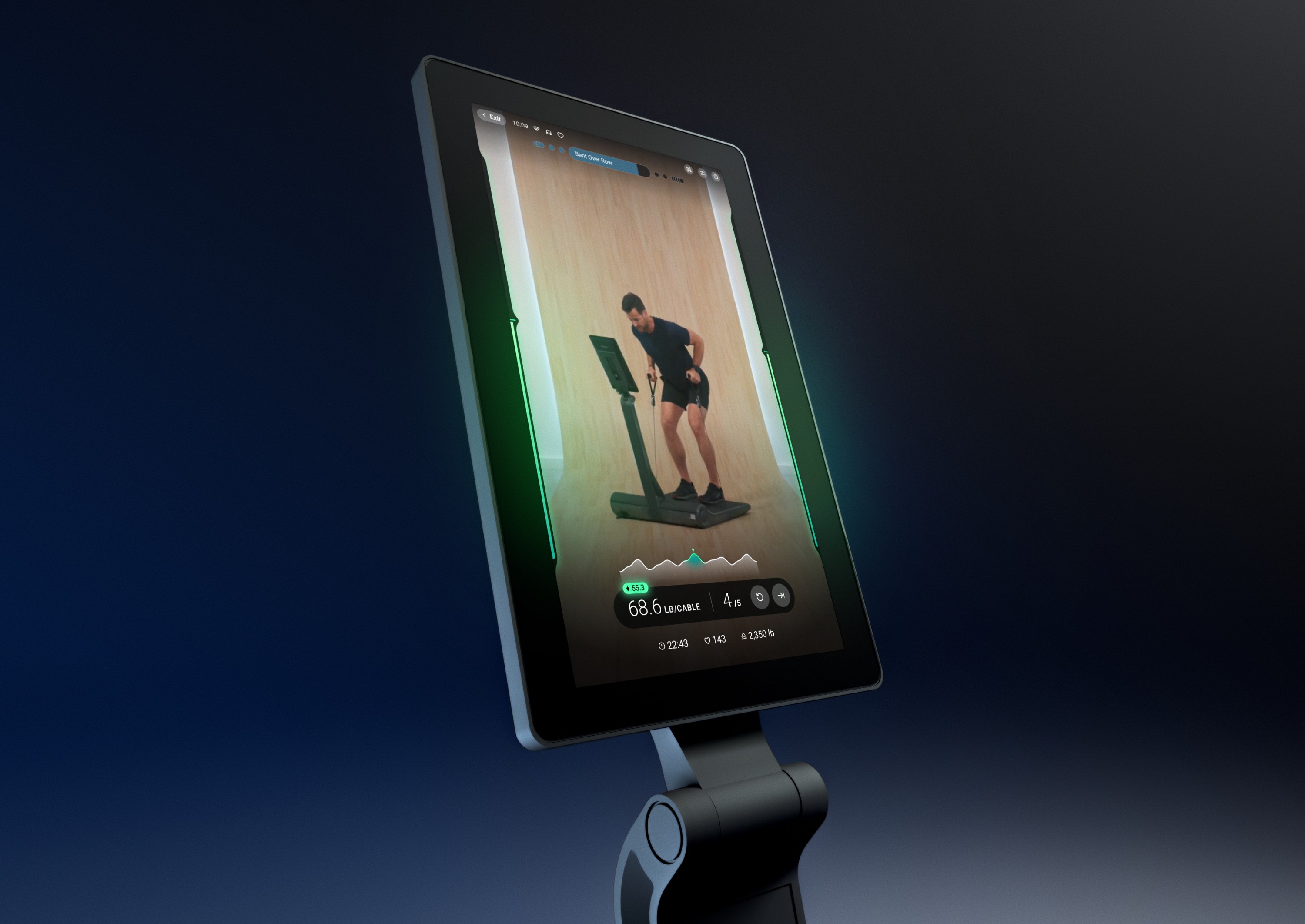
Traditional strength training is already a data-heavy activity. Layering on new affordances for a digital and adaptable workout adds even more complexity. As the sole designer for the Lyquid interface, I brought meticulous organization, impactful visualizations, and intuitive interactions from the moment you turn it on to your in-workout journey. After years of work, Lyquid by Hydrow is here—a powerful, all-new connected fitness experience.
Since Lyquid is a brand new product category for the company, I had the opportunity to design its interface from the ground up. Creating this design system from scratch allowed me to ensure it would be clear and intuitive while still being robust and data-rich.
Lyquid by Hydrow is an efficient, all-new connected fitness experience. With a compact, foldable form factor, Lyquid can transform your workout routine even in the smallest apartment.
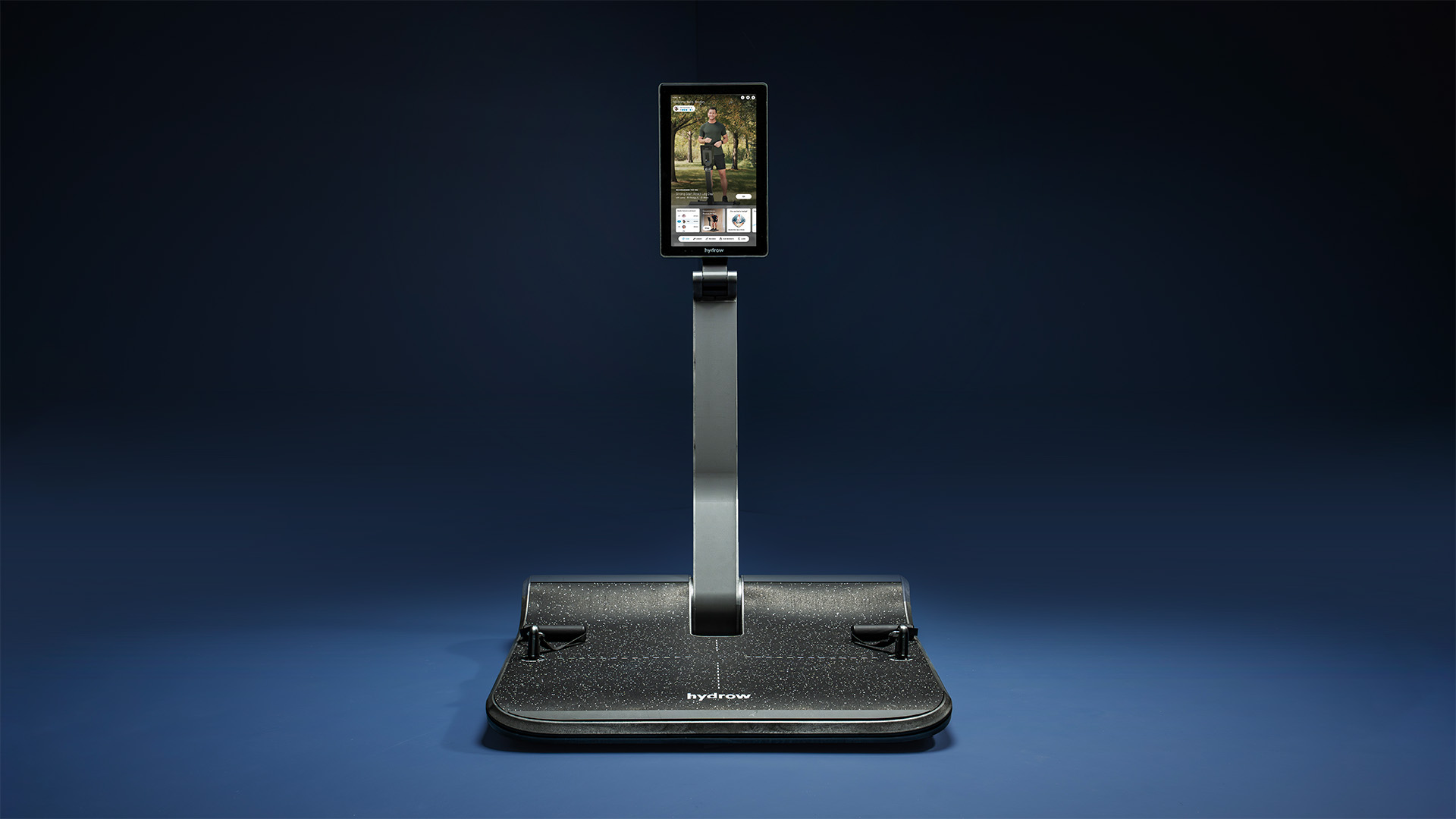
Thanks to Lyquid’s digital weight, you can work out in ways that were never possible with traditional weights. True isokinetic training, referred to as React Mode on Lyquid, adapts the weight based on your maximum force output—both upward (concentric) and downward (eccentric) lifting.
Just 5 reps of Lyquid’s React Mode can work your muscles as much as 35 reps of traditional dumbbells.
The workout UI comprises three major components: the Workout Timeline, Range Bars, and your metrics for the current set and the workout as a whole.
The in-workout experience is the crown jewel of the interface, distilling an incredible amount of data down to simple, understandable visuals and metrics.

The Range Bars intuitively reflect where your body is in the movement. As you lift up and down, the bars fill to reflect it. The Range Bars also adapt to signal different states, like moving outside your range of motion or reducing the weight while struggling.
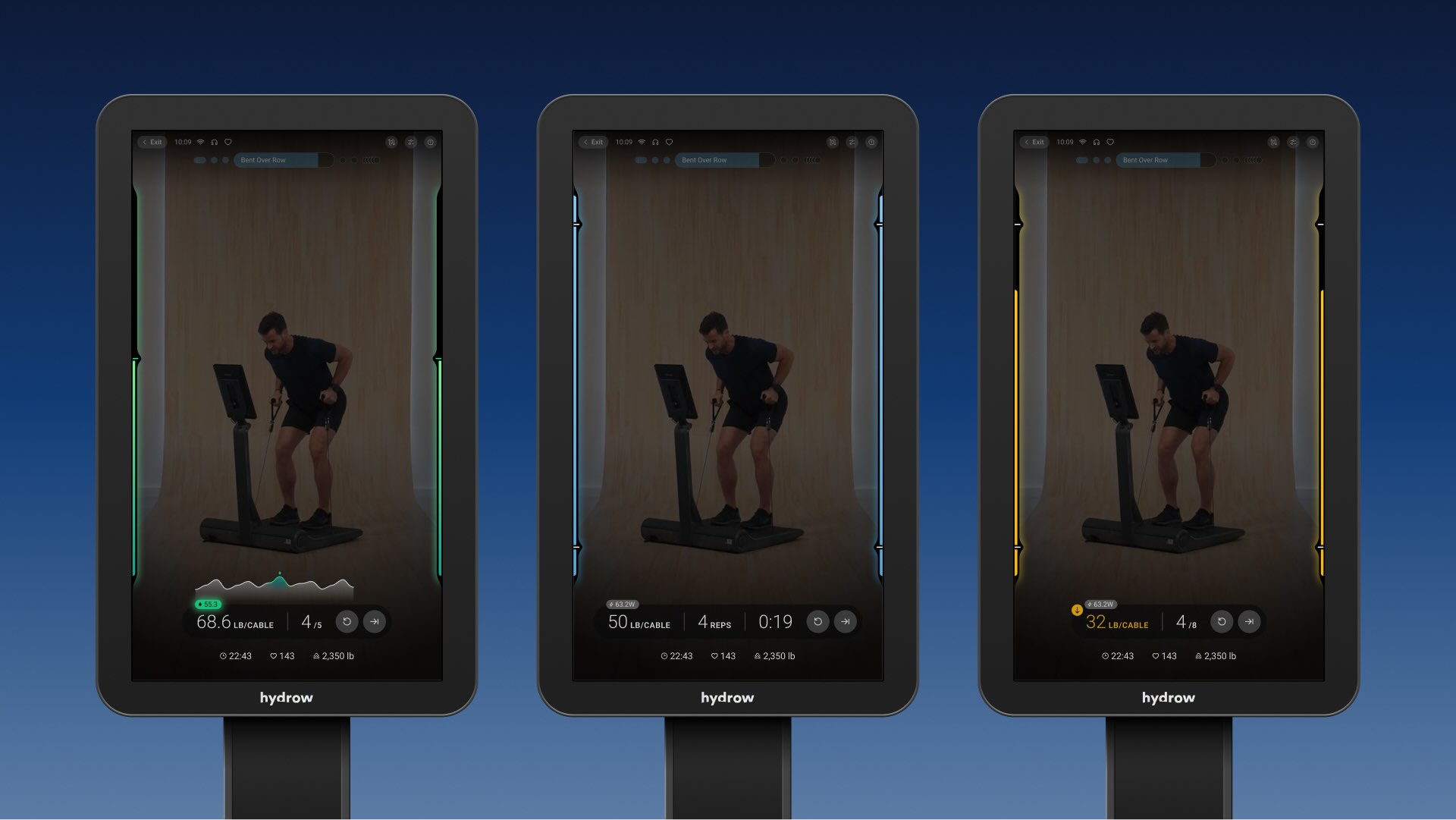
From left to right: React Mode, Standard Mode, and Spotter weight assistance activated
The set metrics are your bread and butter of lifting stats. Quickly see how many reps you have and what weight you’re using. In React Mode, the weight updates in real time and even displays a graph of your force output throughout the lift.
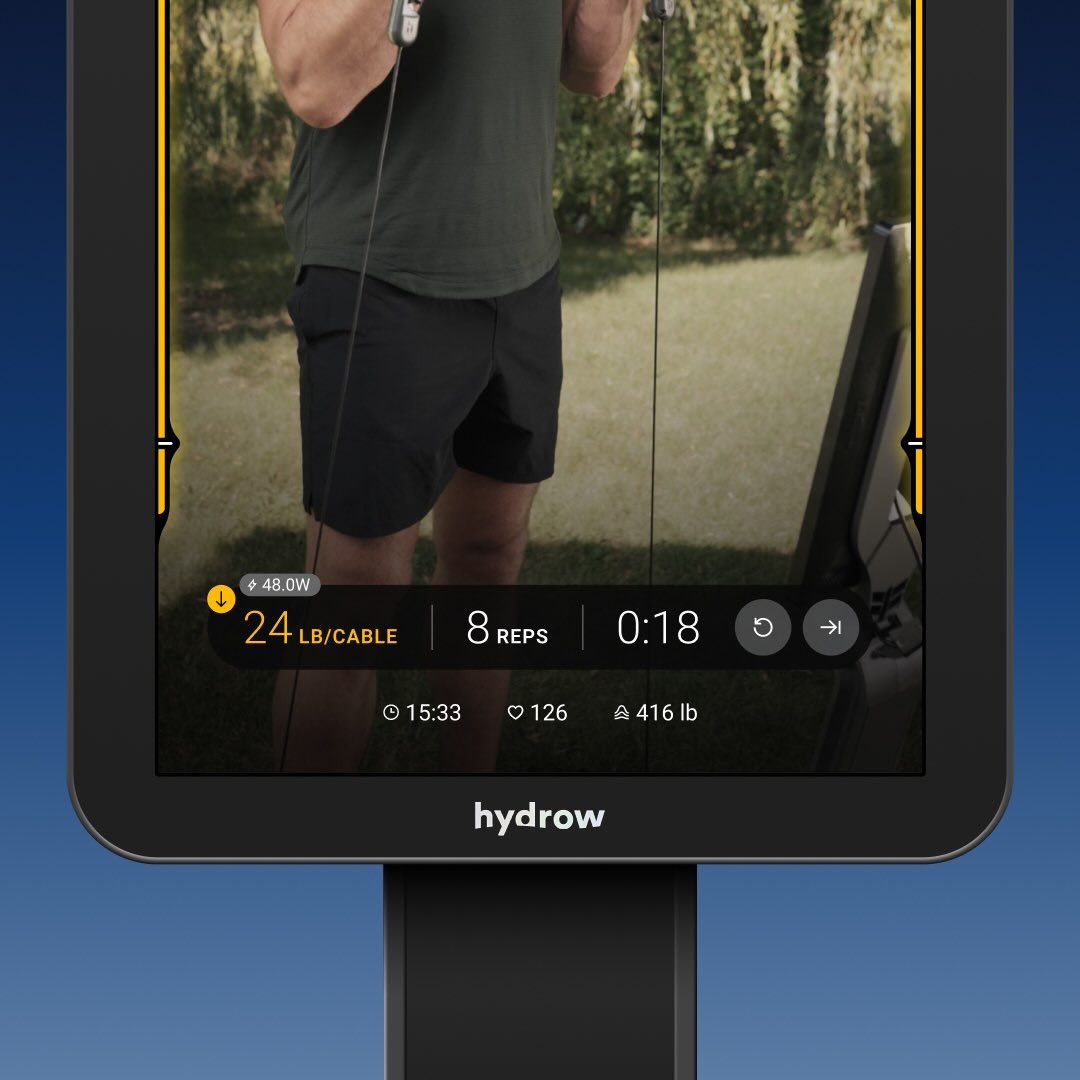
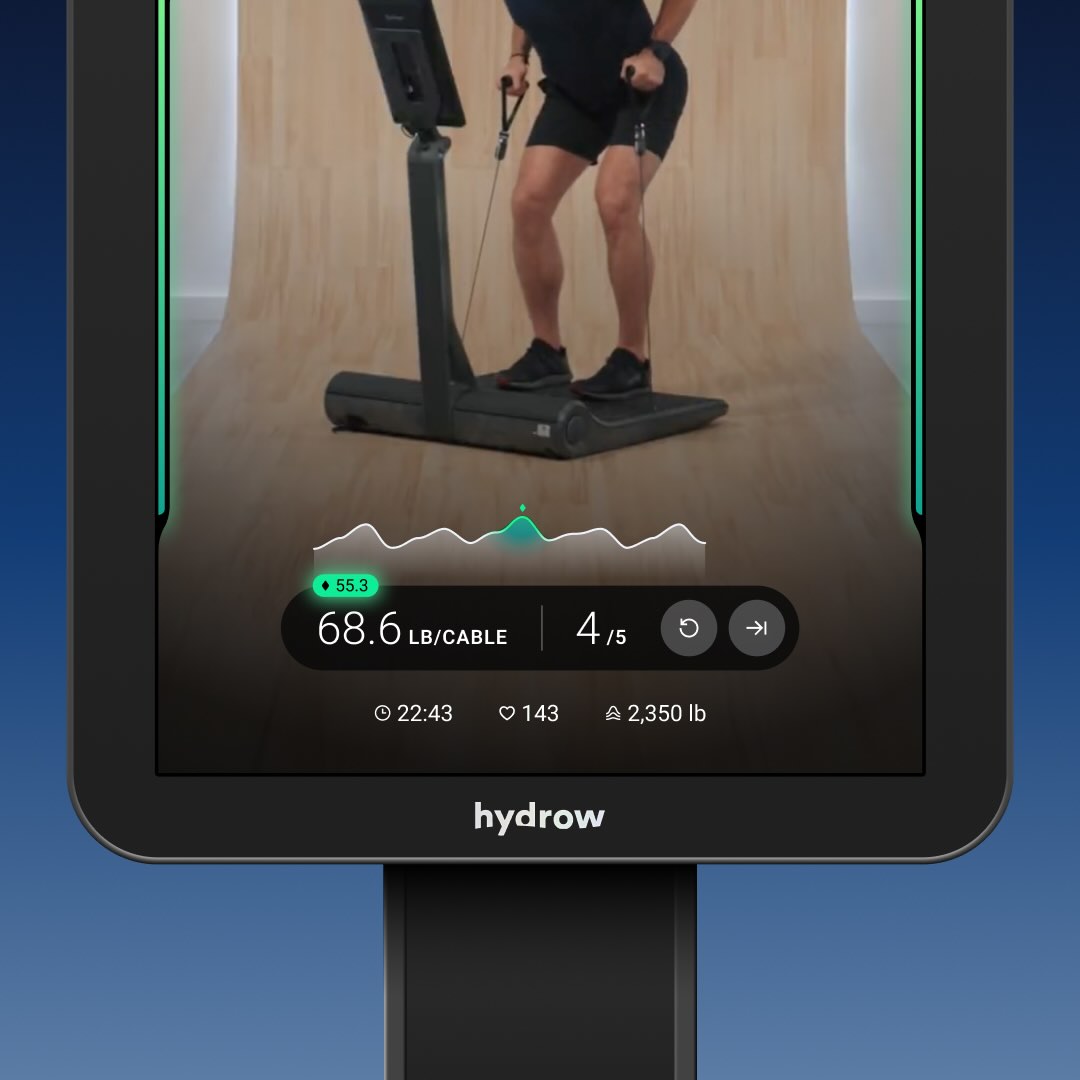
The metric space is adaptive to the information needed for a specific movement. For example, time-based sets will have a countdown and no rep-count denominator. Pressing skip or restart set will expand the area into a confirmation dialog.
The Workout Timeline adds context to your place in the routine and also adapts to highlight song changes. In a block-based routine, the dots in the timeline cluster to indicate being grouped.

The Workout Timeline enables users to switch between movements seamlessly. With a single tap, the Timeline expands into a breakdown of your full workout. Quickly see what you've completed, what's up next, and navigate freely to whichever one you want.
After getting started with Lyquid’s efficient workouts, you’ll surely want to take a look at how you’re progressing. One of the core features Lyquid offers is in-depth data about your workouts.
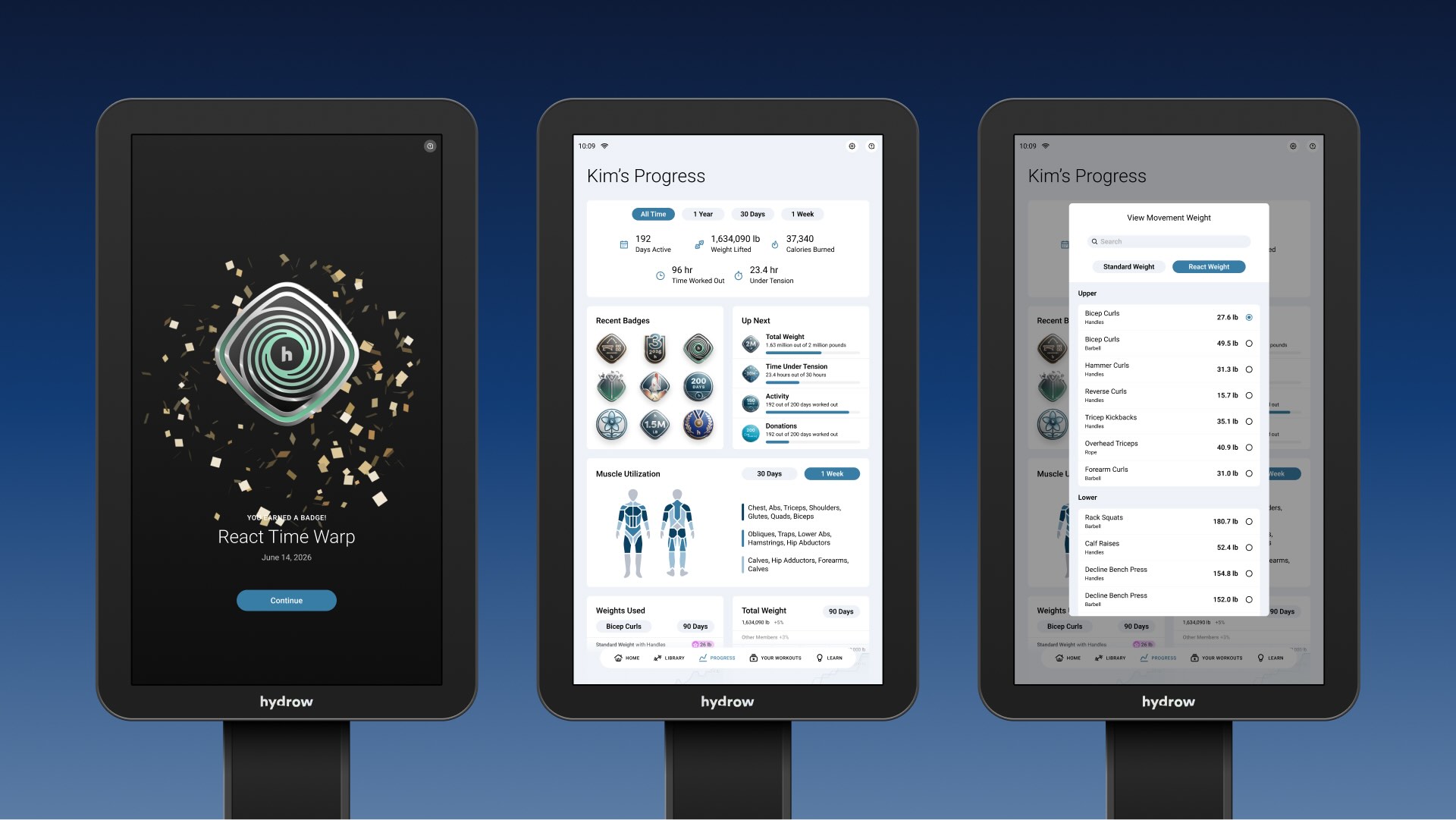
The Progress page displays everything you could want for workout data. The top section provides an overview of your accumulated stats, such as days worked out, weight lifted, and time under tension—the duration during which your muscles are actively being worked.
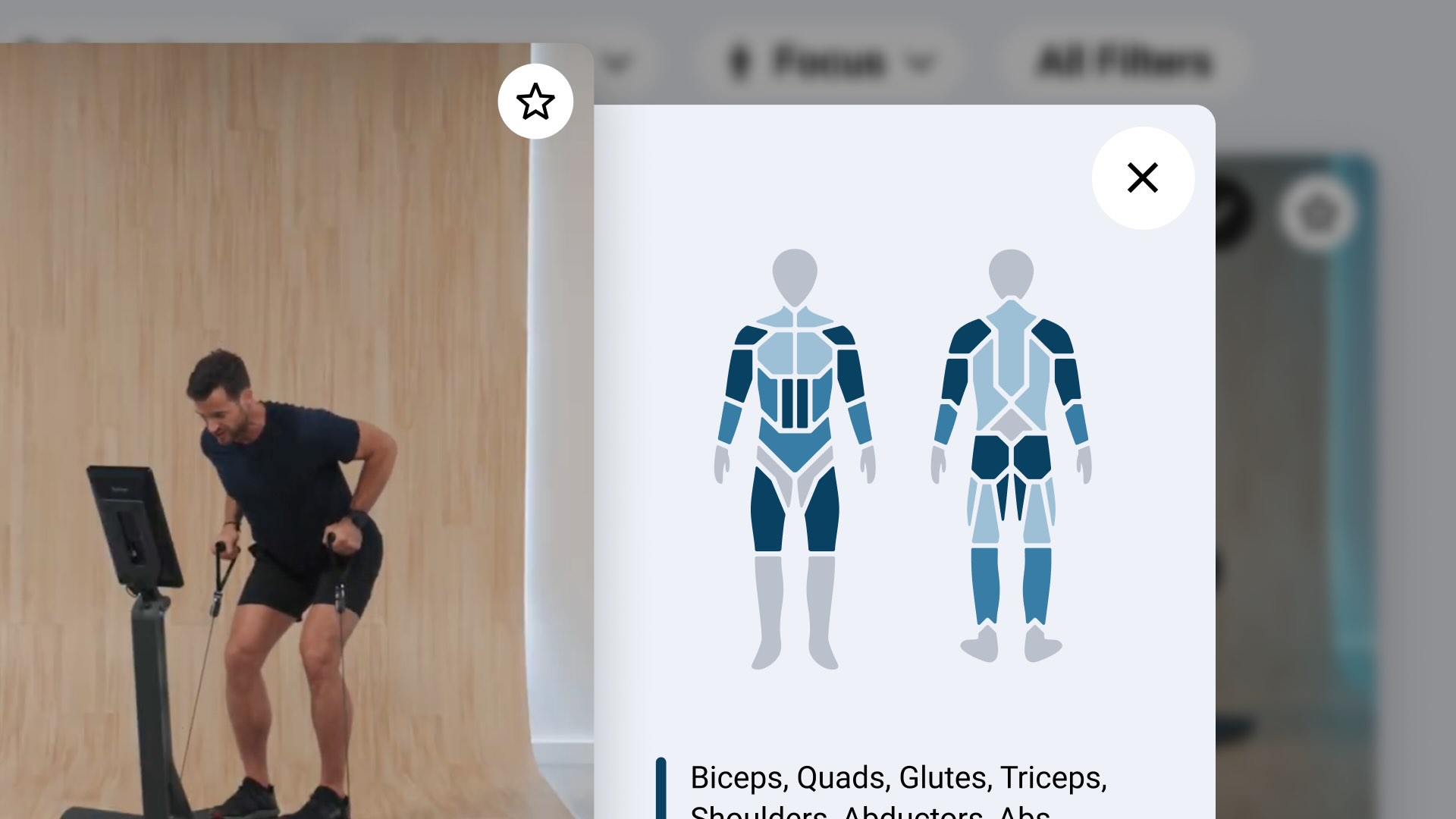
Following the overview are sections such as recent badges earned, upcoming metric milestones, and a visualization showing how much each muscle group has been worked recently. Drilling into the deeper metrics lets you see graphs of weight lifted over time, broken down by each movement.
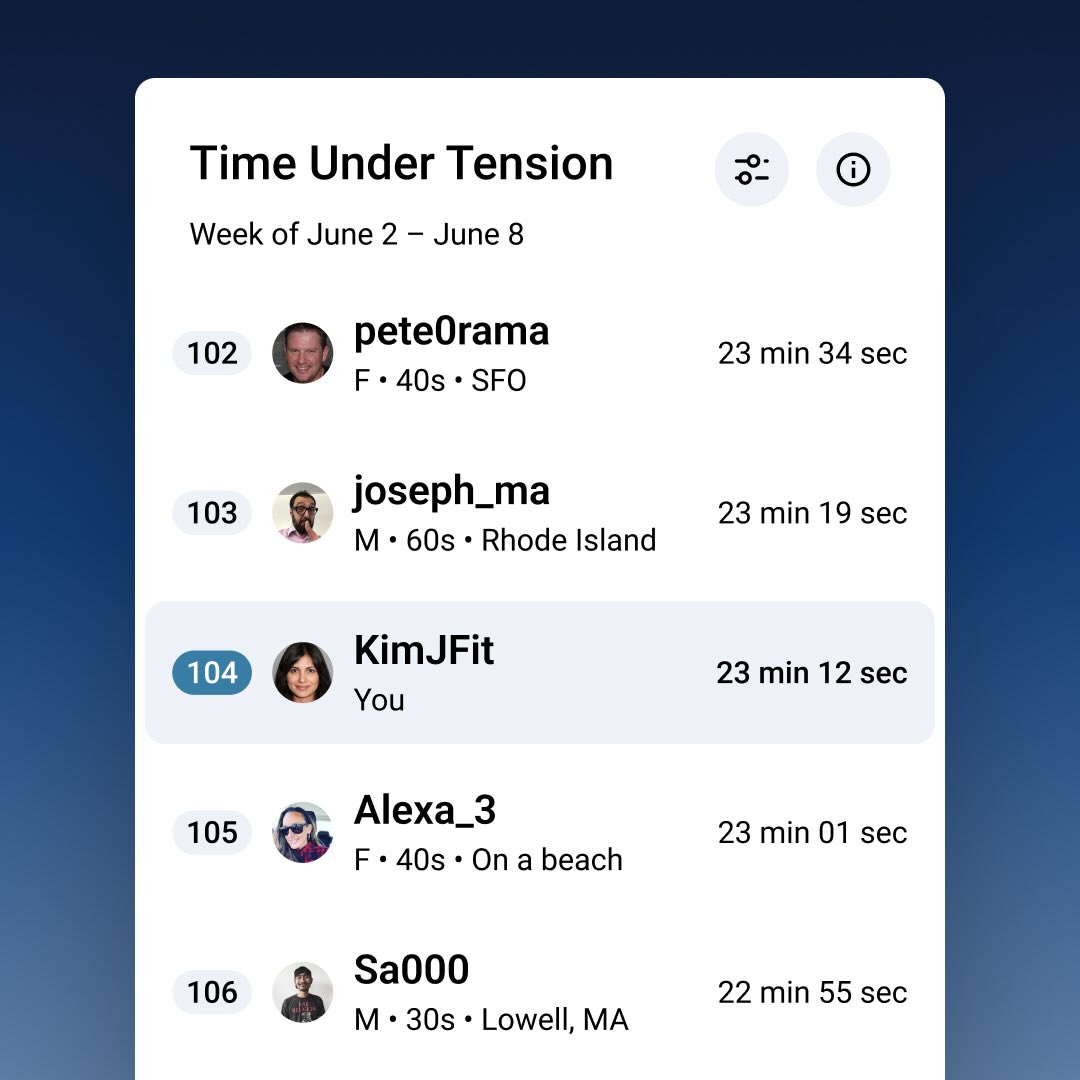
Lyquid also displays a leaderboard of everyone in the community, ranked by time under tension. Selecting time under tension as the leaderboard metric enables friendly competition without promoting lifting more weight than you can handle.
With powerful, efficient workouts, insightful data, and an intuitive interface built from scratch, Lyquid supercharges your fitness journey like no other.